
What is an Object Bed and what is it for?
To understand what an Object Bed (oBed) is, we must first remember what a Bed is in Dolby Atmos.
A Bed corresponds to a fixed group of 10 channels organized in a 7.1.2 format, each of which is intended for a specific speaker or speaker array within a studio.
These 10 channels are distributed:
Channel 1 – L
Channel 2 – R
Channel 3 – C
Channel 4 – LFE
Channel 5 – LSS
Channel 6 – RSS
Channel 7 – LSR
Channel 8 – RSR
Channel 9 – LT
Channel 10 – RT
Limitations of the 7.1.2 Bed
Since the Bed corresponds to a maximum arrangement of 7.1.2 signals, it could creatively limit us when using multichannel plugins or effects that work beyond these 10 signals. For example, there are immersive panners such as Energy Panner and Brightness Panner from Sound Particles that work up to 9.1.6, which we cannot reproduce within the Bed.
The main difference between effects in 7.1.2 and 9.1.6 is the depth in height. In the Bed, we only have two channels for the representation of the vertical axis, which does not allow us to represent movements and effects with front and rear depth. On the other hand, when working with 6 channels in height, we have greater control over the displacement on the vertical axis.
Object Bed
This is where the concept of Object Bed appears, which consists of creating a 9.1.6 bus within our DAW and assigning its outputs to objects, placing each one in the position corresponding to the speakers of a 9.1.6 system.
With this, we can use all the speakers available in the studio when using multichannel plugins that can work in formats higher than 7.1.2.
In addition, this new Object bed can function as a traditional Mix Bus with effects in multichannel.
Disadvantages of the Object Bed
Likewise, the Object Bed is not perfect, because when we stop using the Bed and replace them with objects, the mix starts using more audio channels in our file, which can cause our Dolby Atmos Master to weigh more than double.
In addition, even if we are no longer using the Bed, it is still present in the final file and includes silent information, which means that it continues to occupy unnecessary space within the master.
Another disadvantage is the translation to Cinema rooms and studios that use speaker “arrays” in their configuration, since in these scenarios, the bed signals are reproduced through several speakers, this in order to cover more space, and that the audience has the best possible experience, especially in very large rooms.
The objects, being more precise in their location, in this type of room, would cause all the information of that signal to only be heard in a single speaker within the arrangement. Which could be detrimental to the sound experience in these larger spaces.
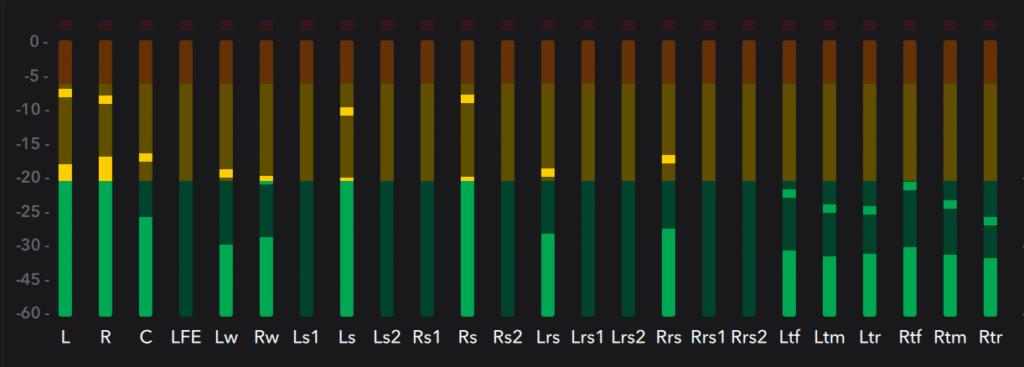
(oBed 9.1.6 in room with array)
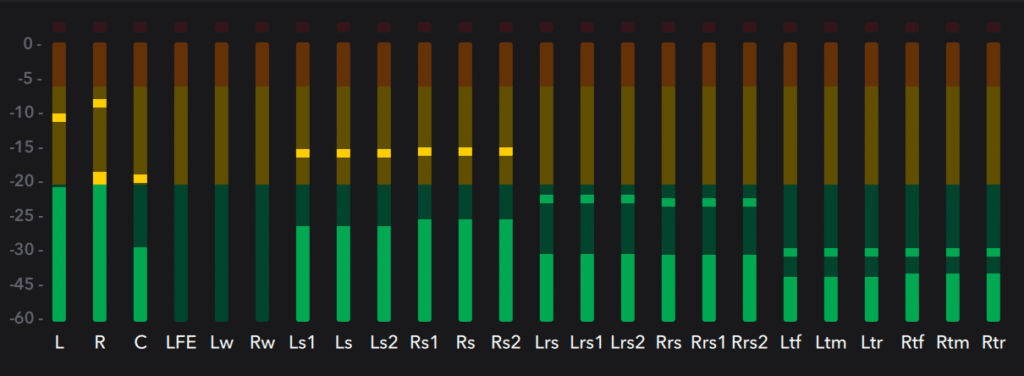
(Bed 7.1.2 in room with array)
Solution: Bed + oBed (Hybrid)
A solution to get the best of both worlds is by creating a bus that can work using the 7.1.2 bed and complementing it with objects to achieve a hybrid of Bed on Object Bed 9.1.6.
The idea is to create a 9.1.6 bus in our DAW, assign outputs 1 – 10 to Bed 7.1.2 and outputs 11 – 16 assign them to objects that would be placed in the positions of the remaining speakers in a room, which would be:
Wide (Wide extension of the L and R speakers)
Top Front (High in the front)
Top Rear (High and in the back)
This hybrid technique allows us to optimize the size of our Dolby Atmos Master, since the Bed continues to concentrate most of the mix. It allows us to use our multichannel plugins at the highest possible resolution. And it improves the translation in large rooms because by using the Bed, we make sure that the room reproduces the signal through the speaker arrangement.
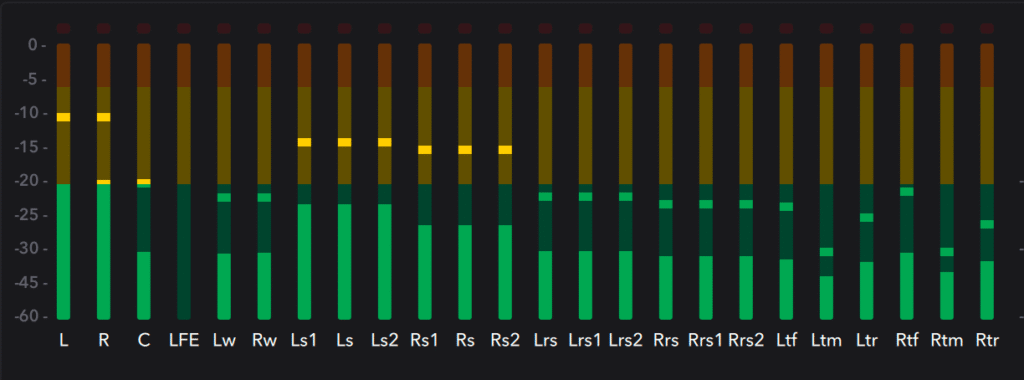
(Bed + oBed 9.1.6)
By Nicolas Hernandez @nixoslash

